Convert MRS to BIDS
The BIDS standard supports Magnetic Resonance Spectroscopy (MRS). This tutorial converts MRS data stored as DICOM into a BIDS dataset, then views the resulting spectrum.
Requirements
- Install BIDSvue for Linux, macOS, or Windows.
- Download and extract the sample
svsDICOMdataset (a single subject, single session). - Roughly 15 minutes and a little free disk space.
Create a new dataset from MRS
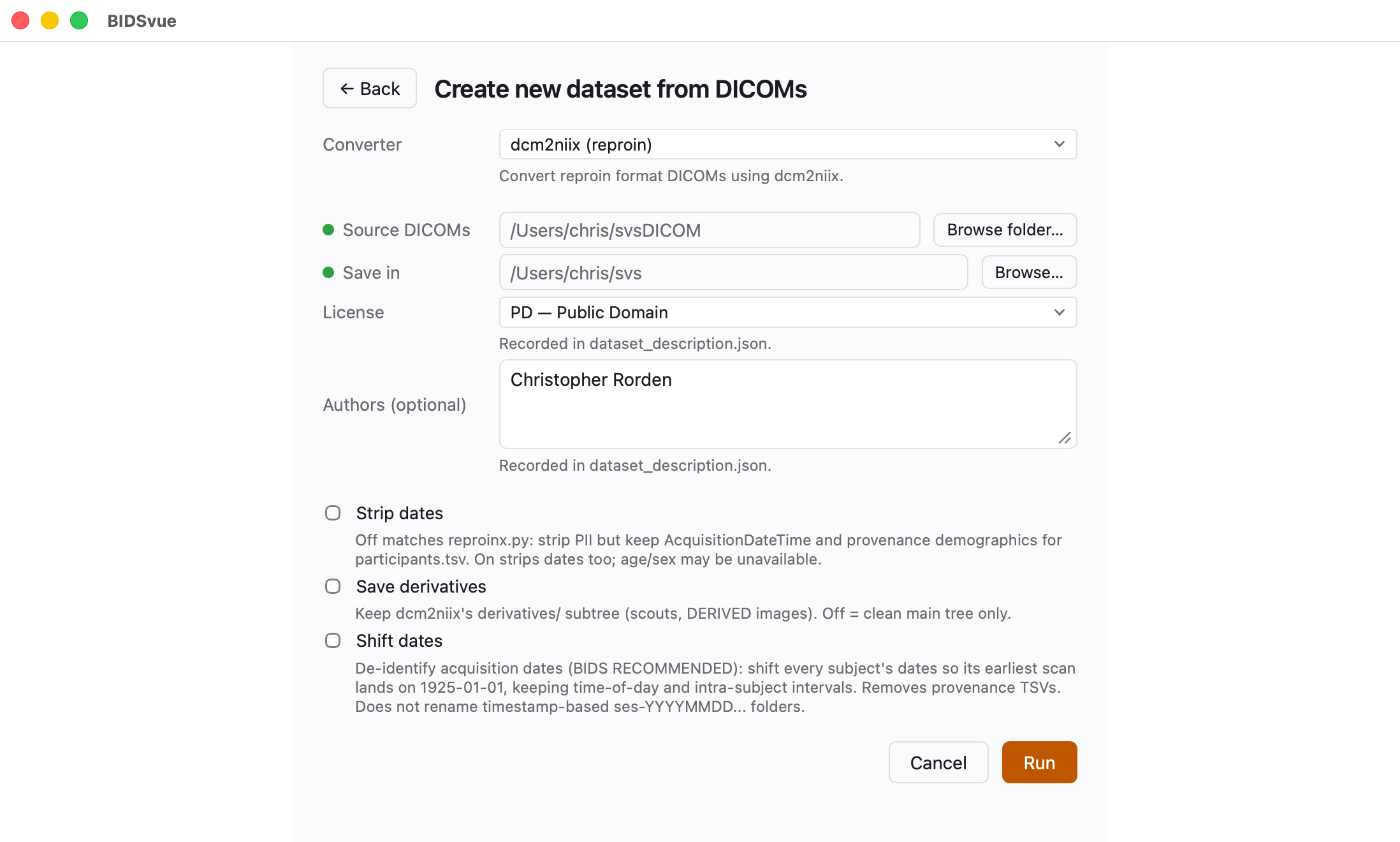
Launch BIDSvue and choose Create new dataset from DICOM, then select the dcm2niix (reproin) converter.
- For Source DICOMs, choose the extracted
svsDICOMfolder. - For Save in, pick a location with enough space and write permission.
- Adjust the optional items if you like.
- Press Run to create your dataset.
View the MRS spectrum
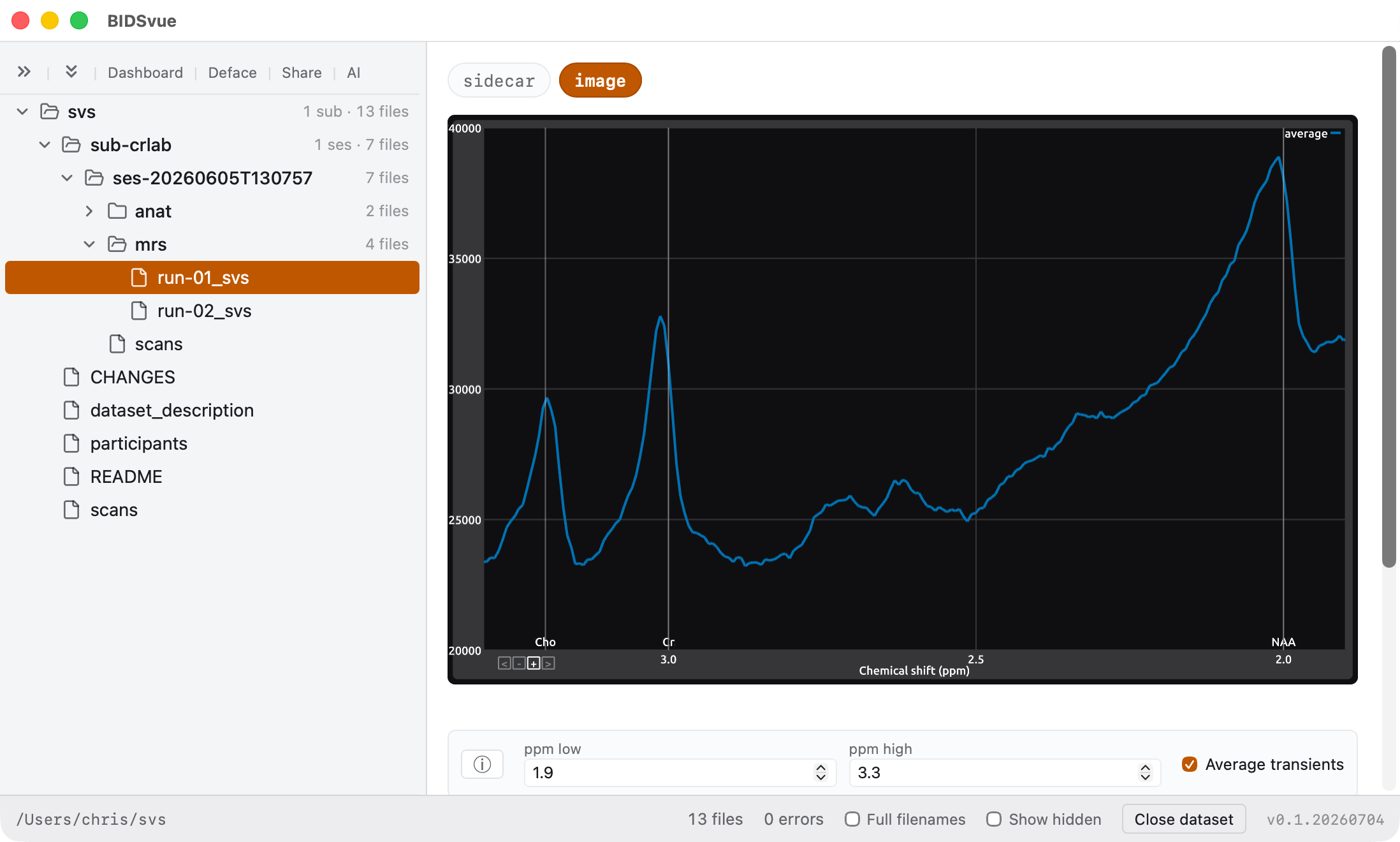
BIDSvue opens into the dataset view. The left tree lists every file; click a node to preview it, and watch the status bar confirm the bids-validator found no errors (though several warnings are reported).
Now inspect one of the MRS files. For example, run-01_svs offers an image view that plots signal intensity against the chemical shift — measured in parts per million (ppm) along the x-axis. Each metabolite appears as a distinct peak or multiplet at a specific ppm, set by its chemical environment.
- Choose between the averaged signal and a separate trace for each individual signal.
- Adjust the graph's range to focus on specific metabolites.