Convert MEG to BIDS using MNE-BIDS
This walkthrough converts Elekta Neuromag MEG data into a validated, shareable BIDS dataset. The data and instructions come from the MNE-BIDS developers — BIDSvue provides a graphical wrapper for their tool.
Requirements
- Install BIDSvue for Linux, macOS, or Windows.
- Download and extract the sample
meg_mne_bidsdataset (a single subject, single session). - Install MNE-BIDS into your Python environment.
- Launch BIDSvue from that Python environment. If the environment can't reach MNE-BIDS, the plug-in appears grayed out in the converter selection.
- Roughly 15 minutes and a little free disk space.
Create a new dataset from MEG
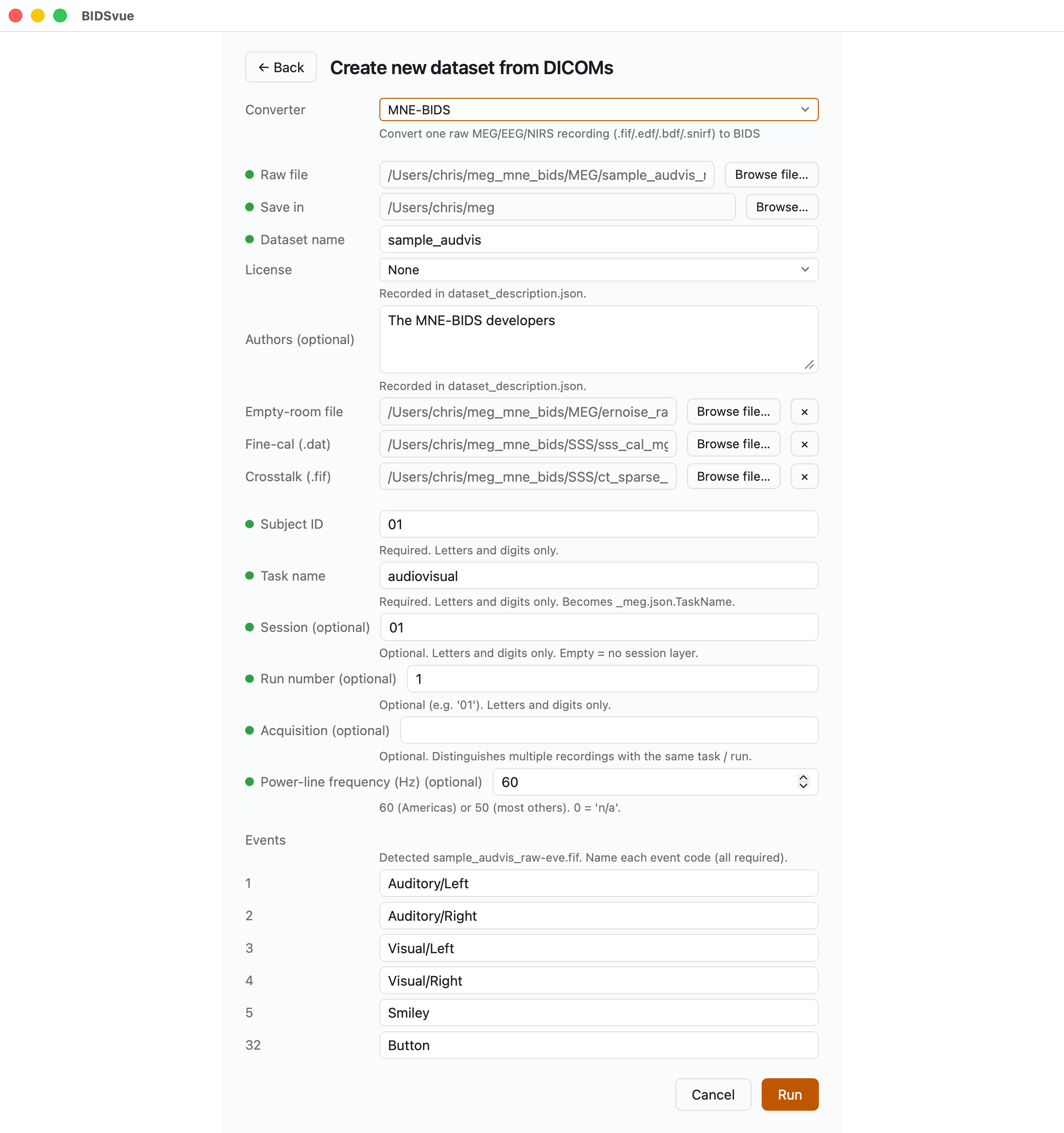
Launch BIDSvue and choose Create new dataset from DICOM, then select the MNE-BIDS converter.
- Fill in every item with a red dot next to its name; once they all turn green, you can press Run.
- For Raw file, choose the recording
sample_audvis_raw.fiffrom the extractedmeg_mne_bidsfolder. - For Save in, pick a location with enough space and write permission.
- You can optionally supply an empty-room (
ernoise), fine-calibration (sss_cal), and crosstalk (ct) file. - Supply a subject ID and a task name.
- BIDSvue detected six different events, so give each a meaningful name — here
Auditory/Left,Auditory/Right,Visual/Left,Visual/Right,Smiley, andButton. - Once all required elements are set, the Run button lights up. Press Run to convert the dataset.
Inspect the elements
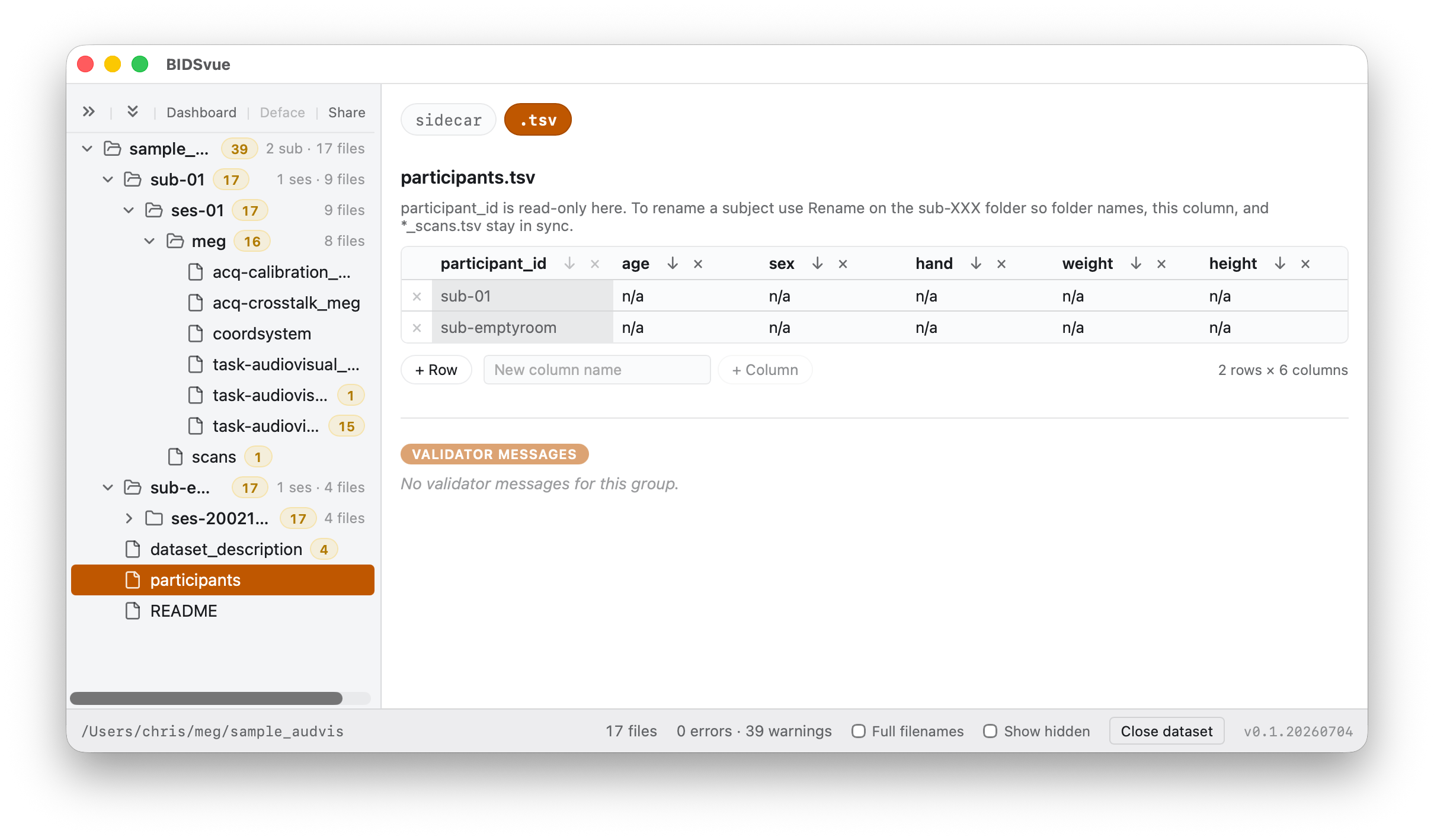
BIDSvue opens straight into the dataset view. The left tree lists every file; click a node to preview it, and watch the status bar confirm the bids-validator found no errors.
This is the moment to record properties the source file doesn't carry. If you open the participants.tsv file, you'll see the subject's age, sex, and other details are missing. Once you make a change, a Save button lets you record it.
Share your dataset
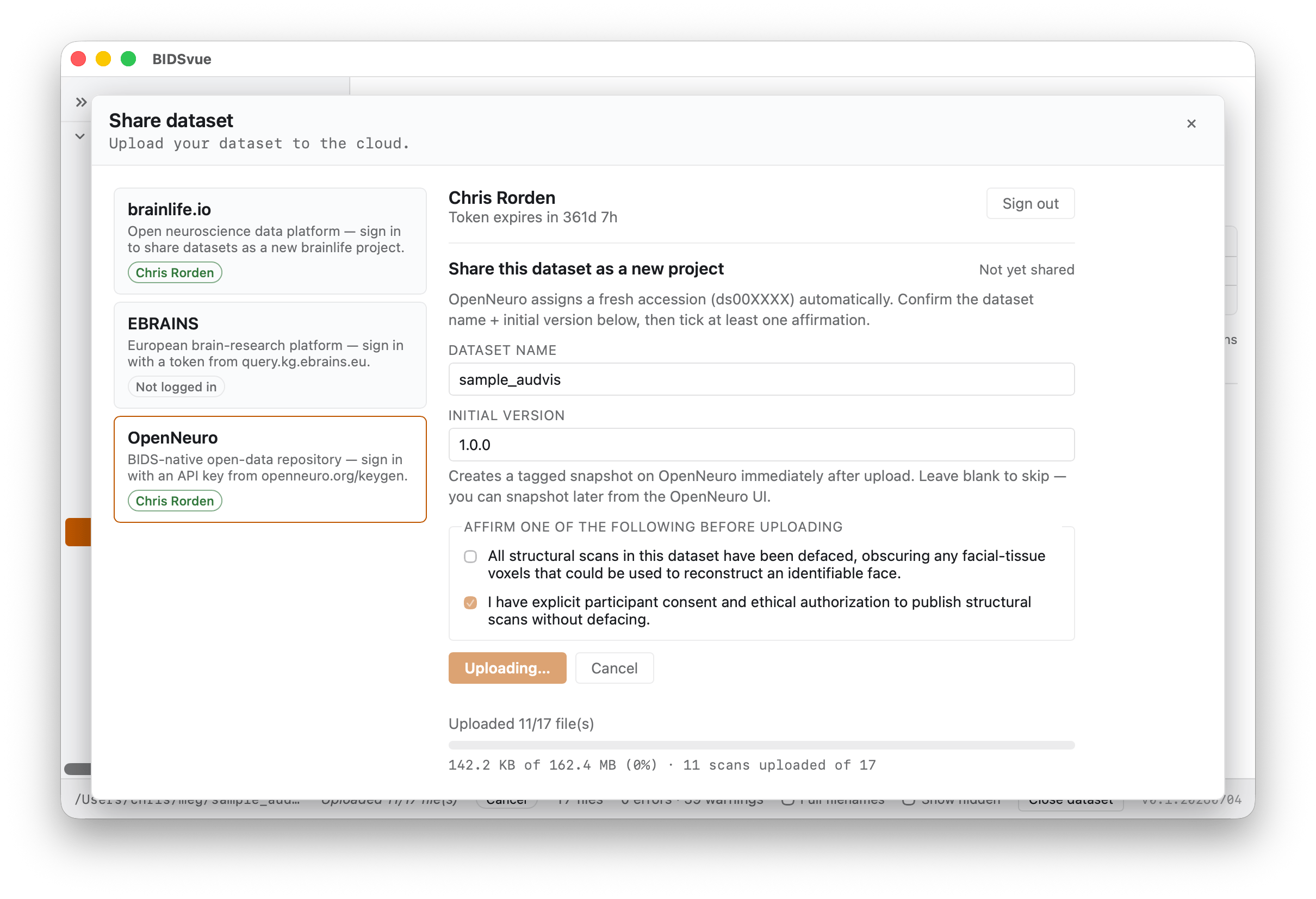
Once you're satisfied the data is anonymized and correctly curated, publish it. Press Share above the tree and pick a provider — here, OpenNeuro.
- The first time you share with a repository, you'll be asked for an access token; the link provided walks you to it, and BIDSvue remembers it for you.
- The provider may ask you to confirm the data is de-identified before the upload begins. You'll then see your files' progress as they upload.